
qaclan.com · team plan
The server is what the rest of your team sees.
Run history stops living on one laptop. Every machine that logs in feeds the same workspace, and six reports turn that history into an answer about whether a release is safe.
$30 per user per month, billed per seat. The agent stays free and is always the part that runs your tests.
what syncs
You log in once. The agent does the rest.
There is no export step and no separate upload command in the way. Work locally as usual; the results show up in the workspace.
Projects, features, scripts and suites
The structure of your testing, not just the results, so a teammate opens the same workspace you built.
Runs and their results
Every suite run and API collection run from every machine that logged in, in one history.
API collections and the generated reference
Collections, folders, requests and the API documentation built from real traffic.
Best-effort, never blocking
Sync happens in the background. If the network is down or the server is unreachable, the command you ran still completes — it queues and catches up later.
reports
Six questions a lead actually asks.
Not a wall of charts. Each of these exists because someone needed to answer it before signing off a release.
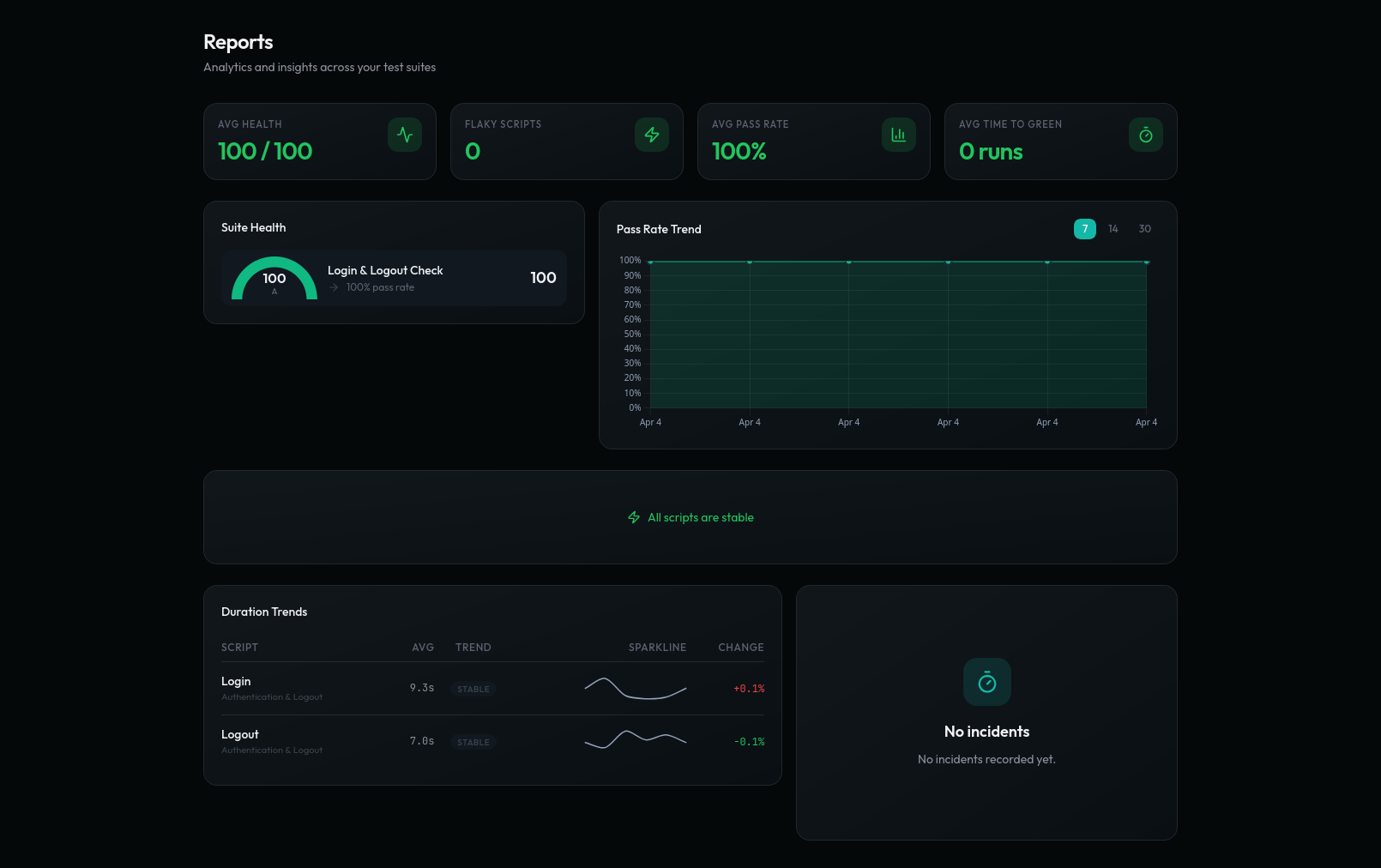
- Flakiness index
- Which scripts pass and fail without anything changing, ranked, so you fix the unreliable ones instead of re-running them.
- Pass-rate trend
- Whether a suite is getting healthier or quietly rotting, run over run.
- Duration trends
- Scripts that are slowing down, before they start timing out.
- Failure points
- The steps a suite dies at most often — usually where the product is genuinely fragile.
- Suite health
- One view across every suite in the workspace, so a lead does not open ten of them.
- Time to green
- How long a broken suite stays broken. The number that tells you whether failures get fixed or ignored.
ai analysis
AI reads results. It does not touch tests.
On the Team plan you can ask for an analysis of a script: what its failures have looked like, what changed, where it is unreliable. It runs against finished runs, after the fact.
It never edits a step, rewrites a selector, or decides at run time what your test should do. That boundary is deliberate — a regression suite whose steps can change is not a regression suite.
team
Seats, invites, access.
- Invites expire
- Invite a teammate by email; the link is valid for 48 hours.
- Seats follow people
- Billing is per seat, and the seat count cannot drop below the number of members currently in the workspace. Remove someone first, then reduce seats.
- A new machine, restored
qaclan loginthenqaclan pullrebuilds the local workspace from the server: projects, features, scripts as files, collections, environments and suites.
access and data
What we can say about security, and what we will not.
- Signing in to the web app uses Google OAuth — we never hold a password for you.
- Agent auth keys are prefixed qc_ and stored as SHA-256 hashes, so the stored value cannot be used to log in.
- Web session tokens expire after 7 days.
- Browser requests to the API are restricted to the application's own origin.
- Team invitations expire after 48 hours.
- Environment values marked as secret are masked in CLI output.
We hold no SOC 2, ISO 27001 or HIPAA attestation, and we are not going to imply otherwise on a marketing page. If your evaluation needs one, tell us on the contact page and you will get a direct answer. Teams that cannot send test data anywhere can run the agent alone — it works fully offline.
You always run the agent. The server is additive.
| Agentfree | Server$30/user/mo | |
|---|---|---|
| Where it runs | Your machine, at localhost:7823 | qaclan.com, managed by us |
| Who it is for | Any tester or developer | Teams that need shared visibility |
| Setting it up | One install command | Sign in with Google, invite teammates |
| Where your data sits | ~/.qaclan on your disk; works offline | Synced runs, scripts, collections and API docs |
| What you get | Record, import, organise, run, local reports | History across machines, flakiness, trends, AI analysis, seats |
| How they fit together | The execution layer — always required | The visibility layer — optional, added when a team needs it |
Record your next regression pass instead of repeating it.
Install the agent, record one journey, and look at the API calls it fired. That is the whole first session — no card, no clock.
curl -fsSL https://raw.githubusercontent.com/qaclan/agent/master/install.sh | sh